
Your ECS logs, live and readable.
Contrail is a fast desktop log viewer for AWS ECS. Pick an SSO profile, jump to a service and follow its logs live, parsed into fields and searchable, without clicking through the console.
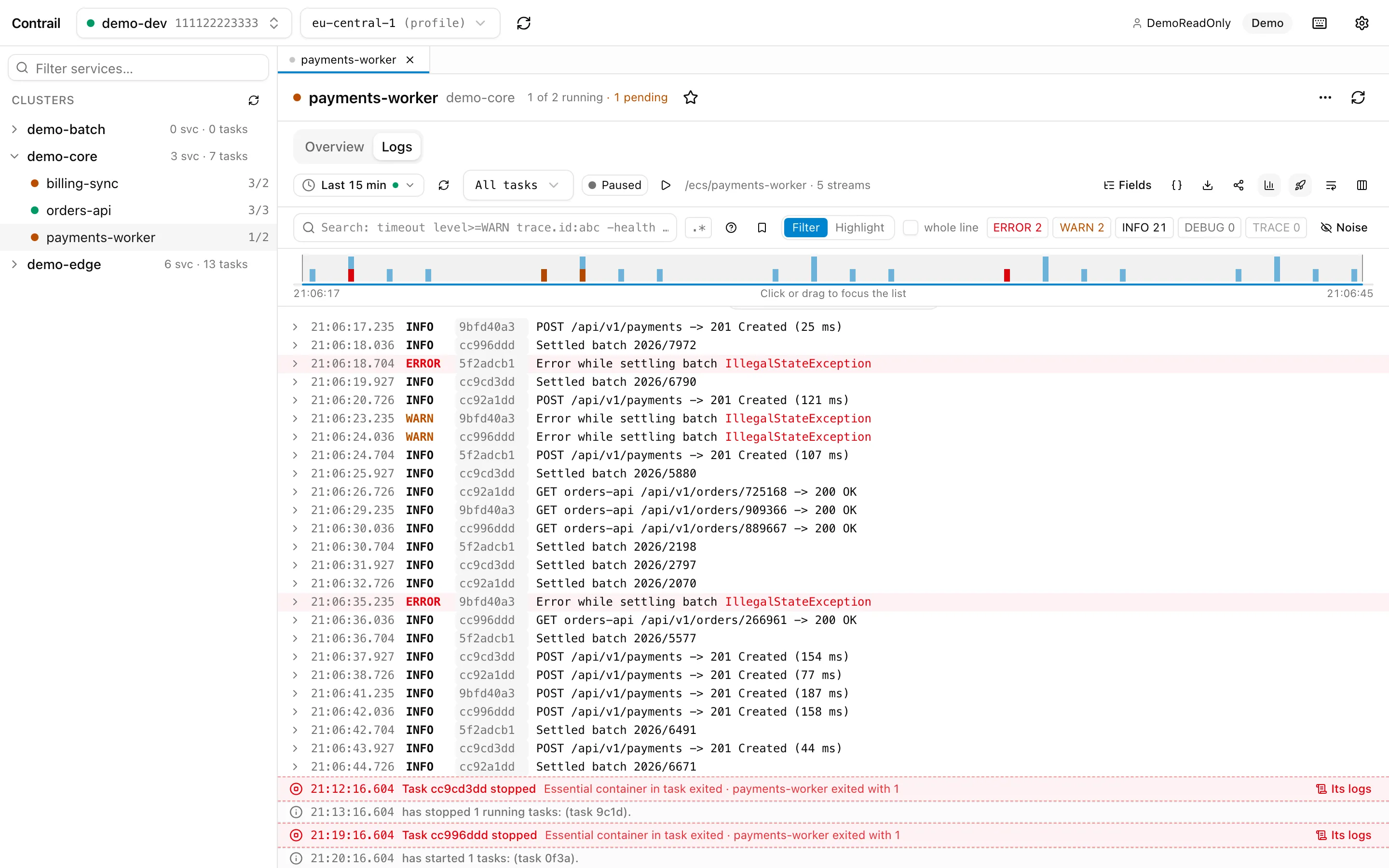
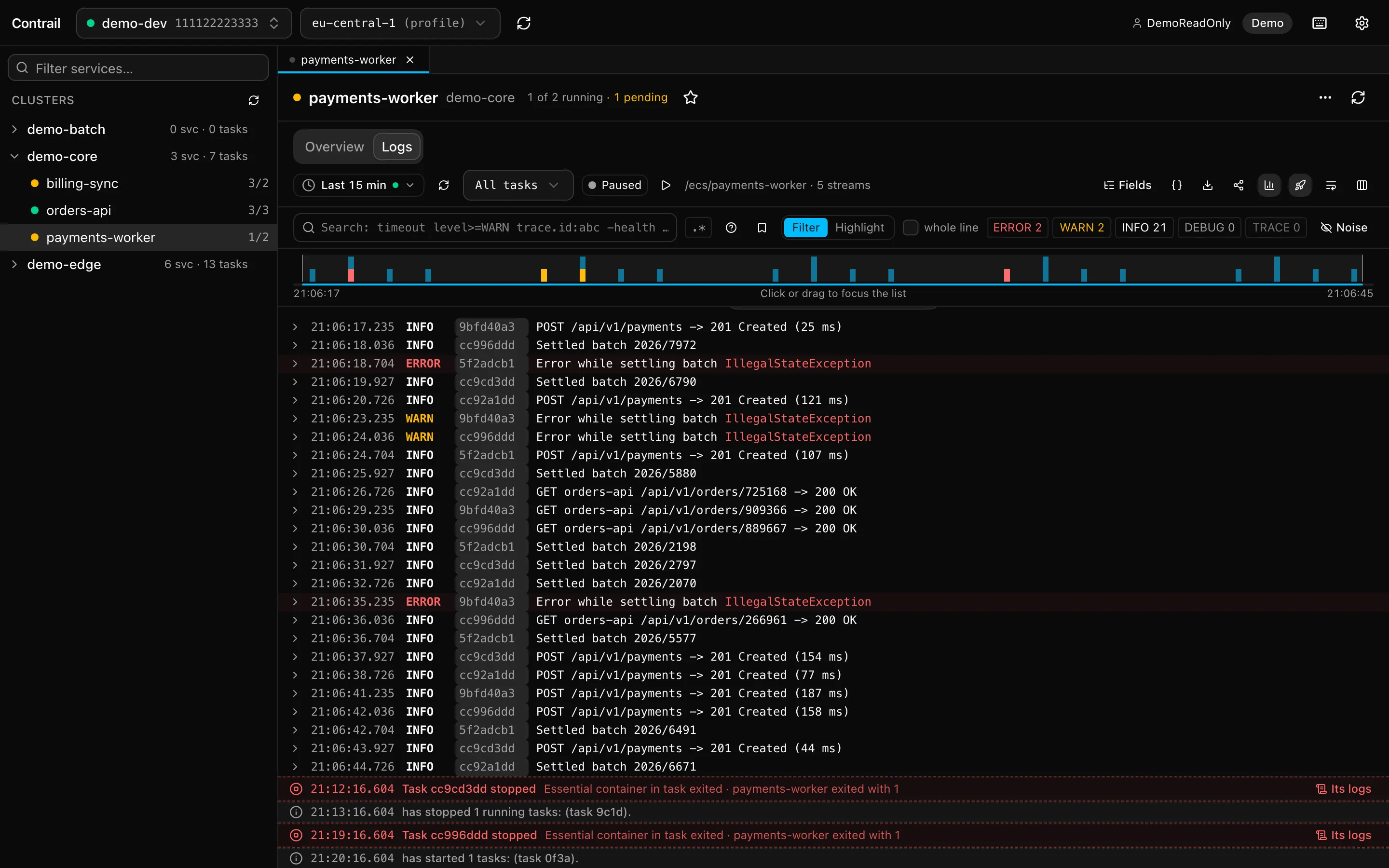
log lines scroll smoothly. Parsing, buffering and search run natively in Rust.
to AWS unless you allow changes. Read-only by default, no credentials of its own.
From profile to a service’s live logs in a few keystrokes. No console tabs, no log group hunting.
Services
Everything about a service, on one page
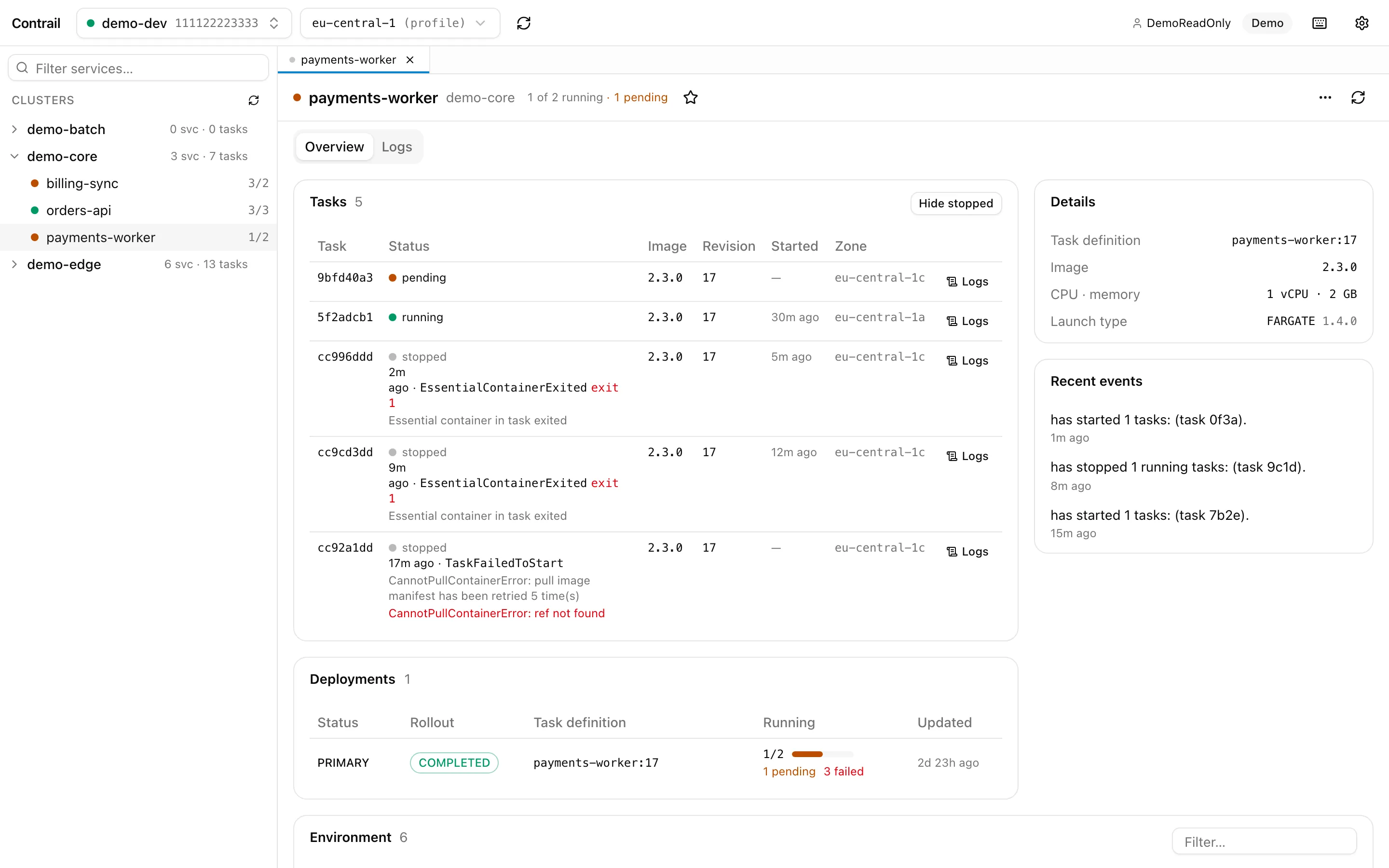
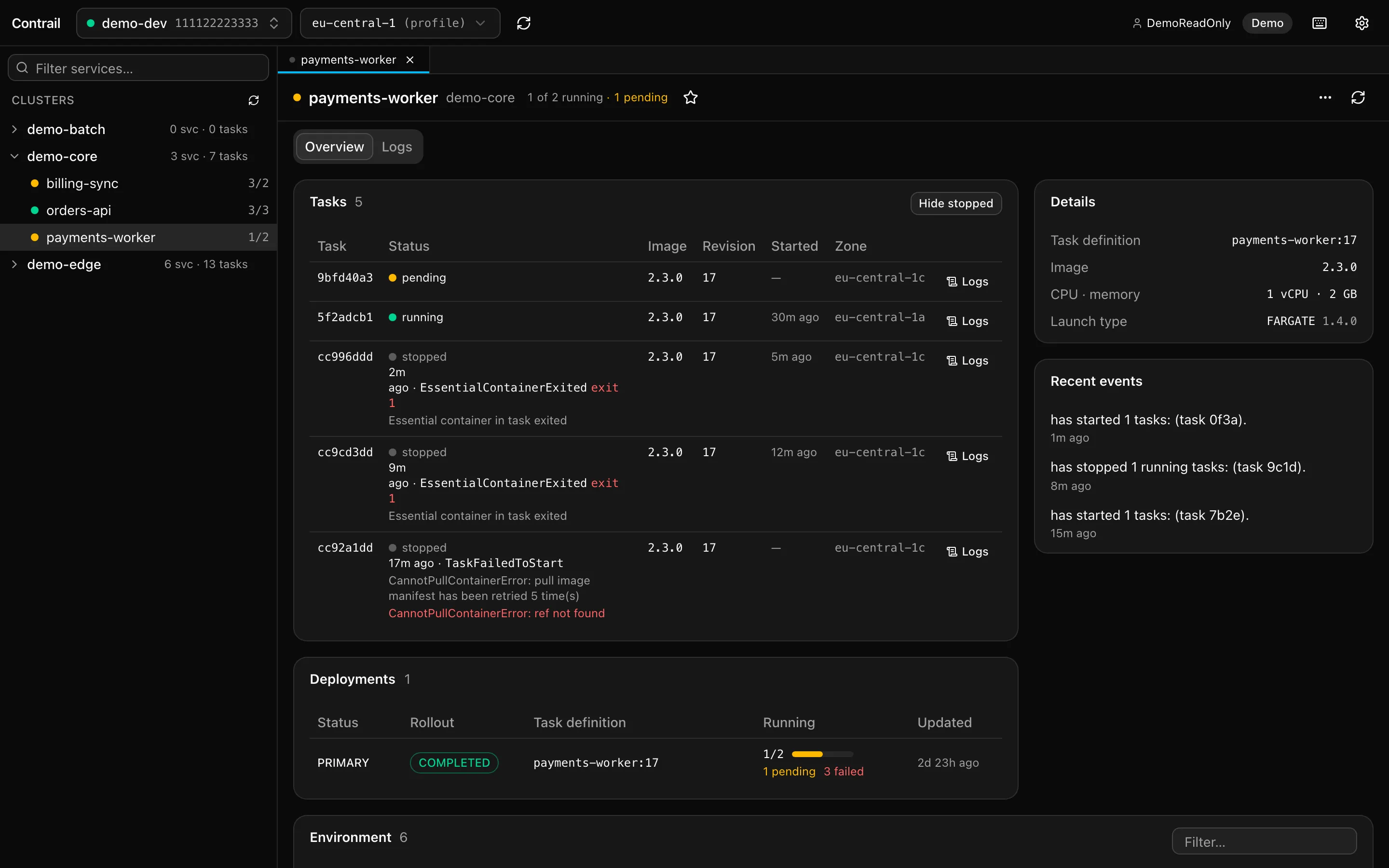
Pick a service in the sidebar or with Cmd/Ctrl+K. Its overview shows the running and recently stopped tasks, why they stopped, the deployments in progress, the task definition and recent events.
- Environment variables, with secret-looking values masked.
- Secrets from Secrets Manager or SSM by reference; Reveal reads one on click.
- Refreshes every 30 seconds.
Search
Find the one line that matters
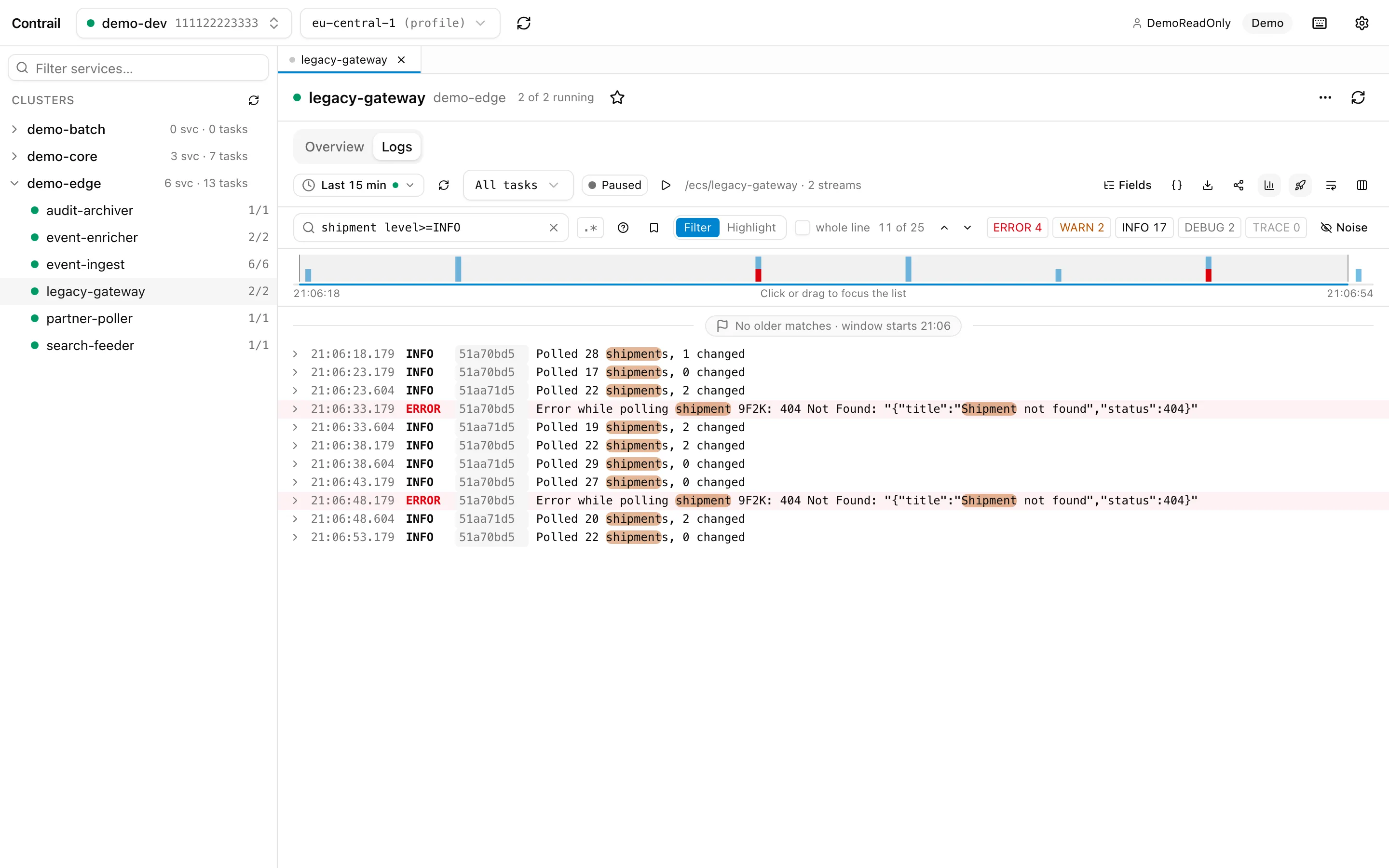
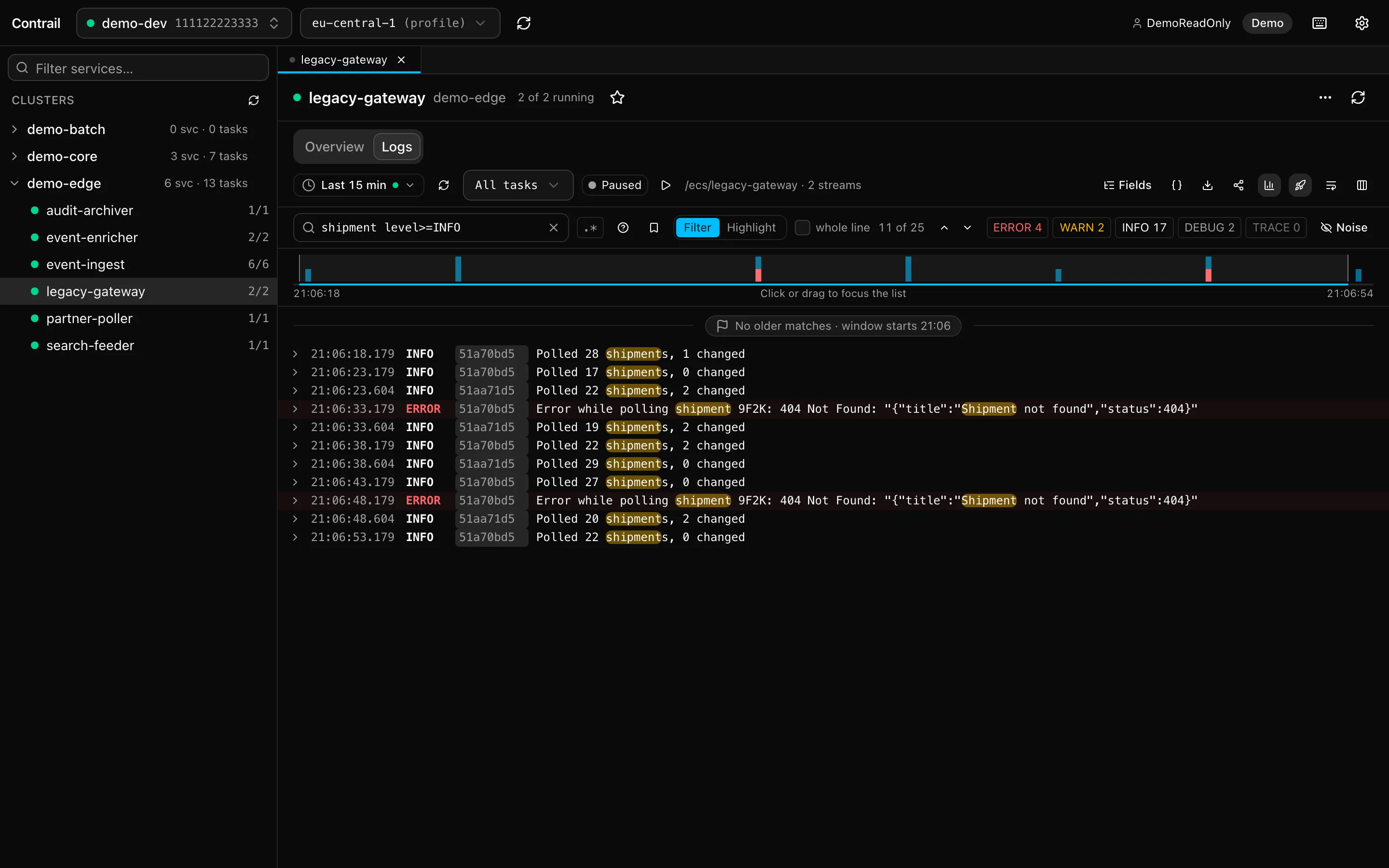
Search the loaded logs as you type: words and phrases, fields, levels, regular expressions. Filter the list down or highlight the matches and step through them. Level chips hide what you don’t need, “Hide lines like this” builds a noise list per service.
timeout level>=WARN trace.id:abc123 -healthcheck
Tracing
Follow one request through your services
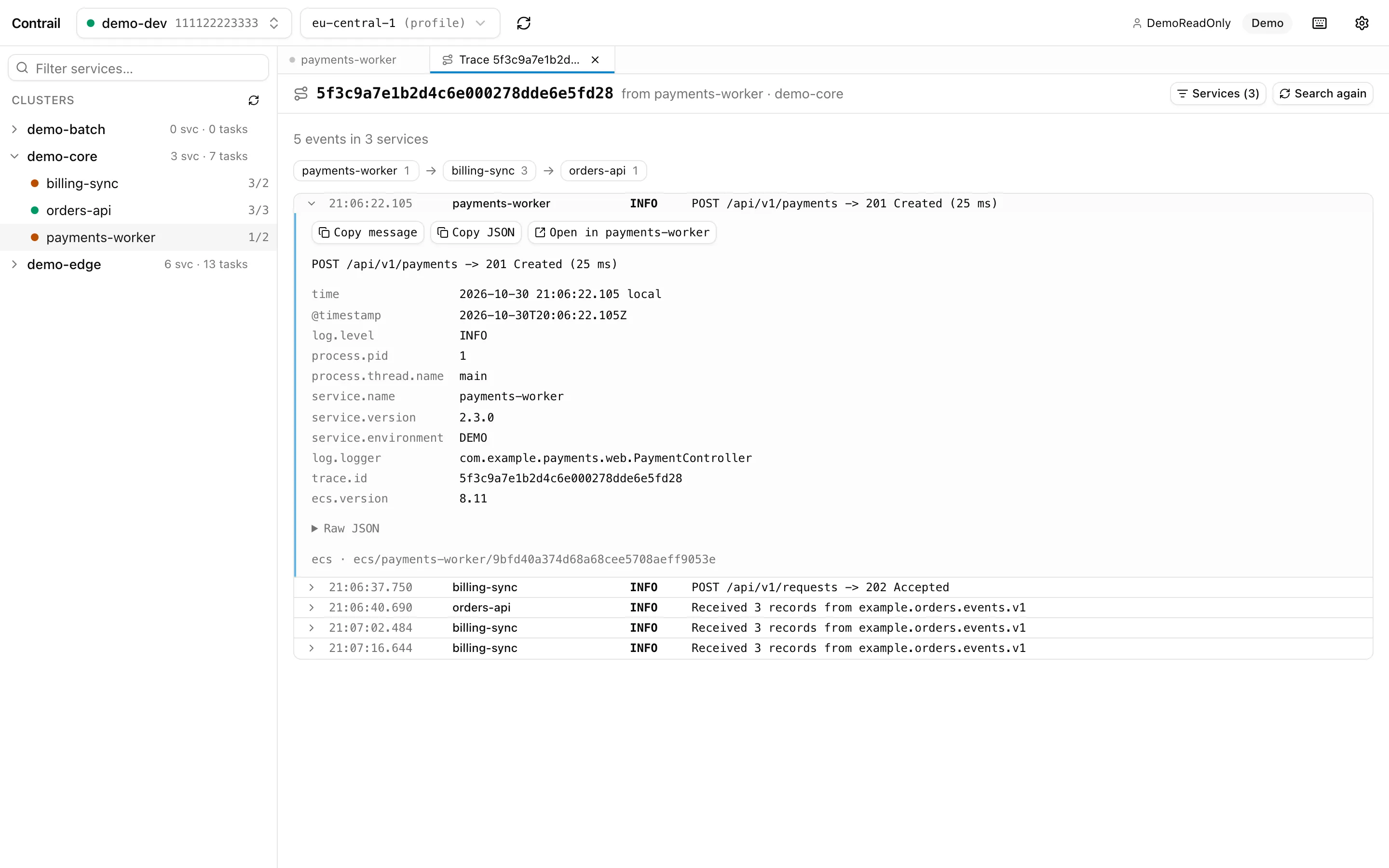
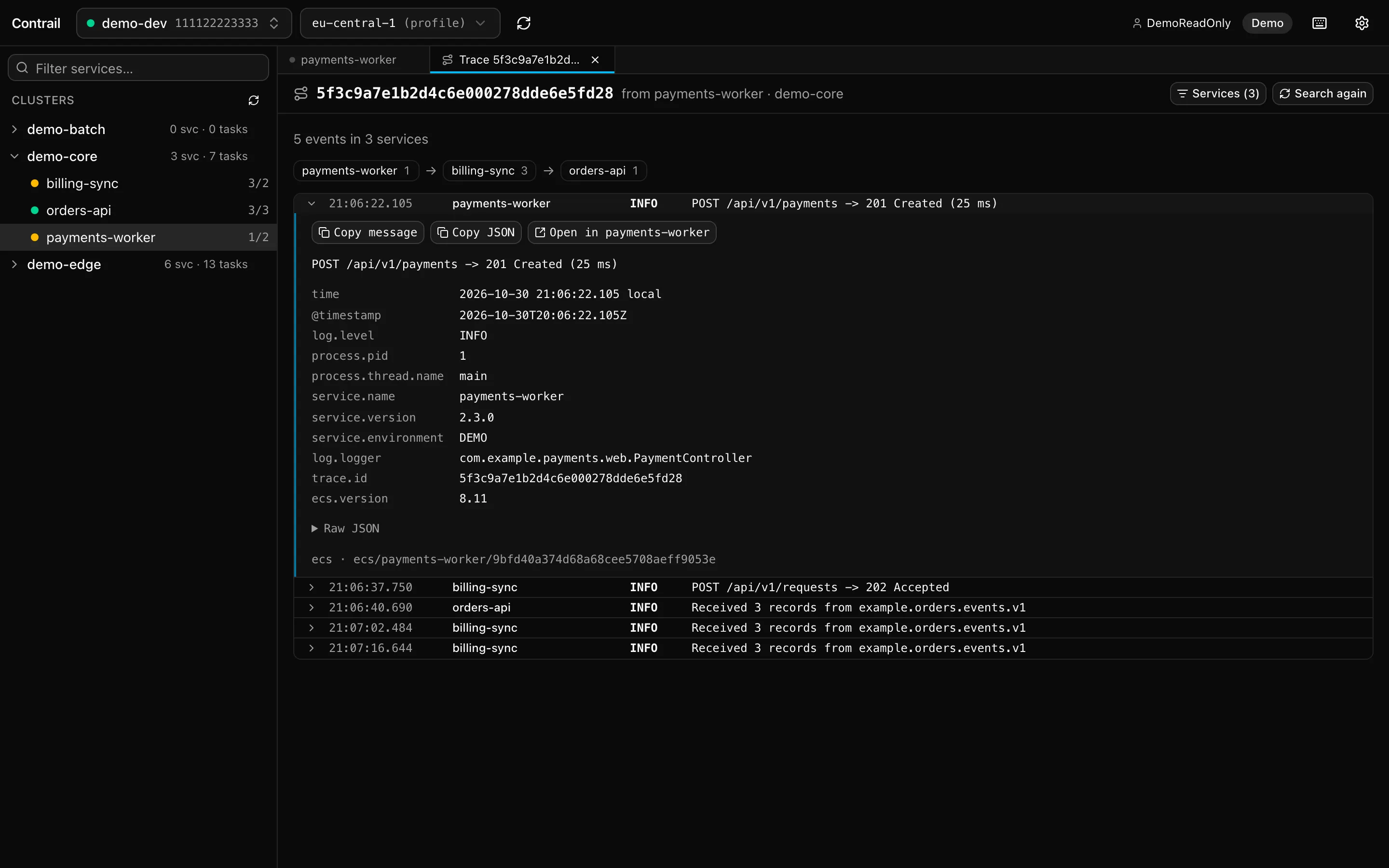
Expand a line with a correlation or trace ID and search the other services of the cluster for it. Contrail shows the way it took: the services in the order the ID reached them, and every event on one timeline.
Each entry opens that service’s logs, filtered to the same ID.
features
Built for the on-call morning
Dark first, dense and keyboard friendly, with light mode and your choice of accent color.
SSO profiles, one keystroke away→
Your profiles from ~/.aws/config with their session state. Log in runs aws sso login for you, or logs in itself without the CLI; Cmd/Ctrl+Shift+P switches.
Clusters, services, tasks
Running and recently stopped tasks with stop reasons and exit codes, deployments, task definition, events and environment variables.
Live, without the lag
CloudWatch Live Tail follows every task of the service, new ones included. Pauses while Contrail is hidden, catches up when you're back.
Logs you can read
ECS JSON (nested or dotted), Spring Boot's console pattern and plain text, stack traces joined again. A timeline by level above the list; drag to zoom in.
Search that knows fields→
level>=WARN trace.id:abc123 -healthcheck, regular expressions and globs, as a filter or highlighted. ↑ recalls earlier searches; save the ones you need again.
Trace across services
From one line to every service a correlation ID passed through: in order, on a timeline, with the state it ended in.
Tabs and keyboard
Every service stays open in a tab with its search and live tail. Cmd/Ctrl+K jumps to any service; press ? for all shortcuts.
Share and export
A link that opens the same view in a teammate's Contrail, the same logs in the CloudWatch console, or the lines as .log or .jsonl for the ticket.
Read-only, no credentials→
Contrail never changes anything in AWS and keeps no credentials of its own. Secret values are read only when you click Reveal.
evaluation
Evaluating Contrail for your team?
What a team lead or security review usually wants to know, in one place.
download
Download Contrail
Free and open source (MIT), for macOS, Windows and Linux.
macOS
Not signed by Apple yet: the first time, right-click the app → Open.
Windows
Installs per user, no admin rights needed. Not code-signed yet: SmartScreen asks once (More info → Run anyway).
Linux
- Download .AppImagex64 · 94 MB
- Download .debDebian, Ubuntu · 17 MB
- Download .rpmFedora, openSUSE · 17 MB
AppImage: chmod +x, then run it.
$ aws sso login –profile dev && open -a Contrail
Ready to read some logs?
All you need is an AWS SSO profile. Or try it without AWS in demo mode.