
Tracing across services
A request often passes through several services before something goes wrong. If your services log the same ID for it, Contrail can search all of them for that ID and put what they logged on one timeline: which services the request reached, in what order, and every event about it.
Follow an ID
Section titled “Follow an ID”-
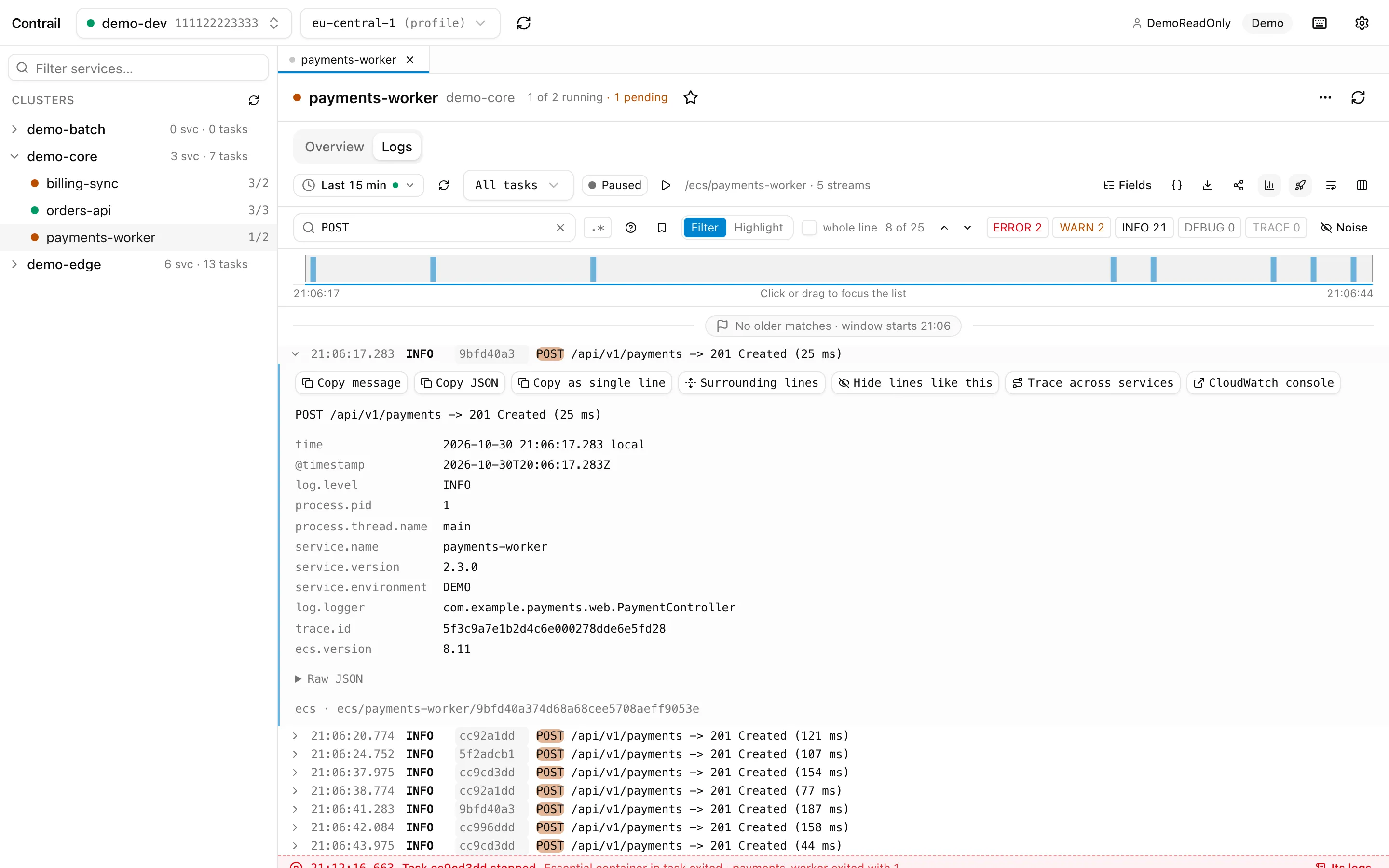
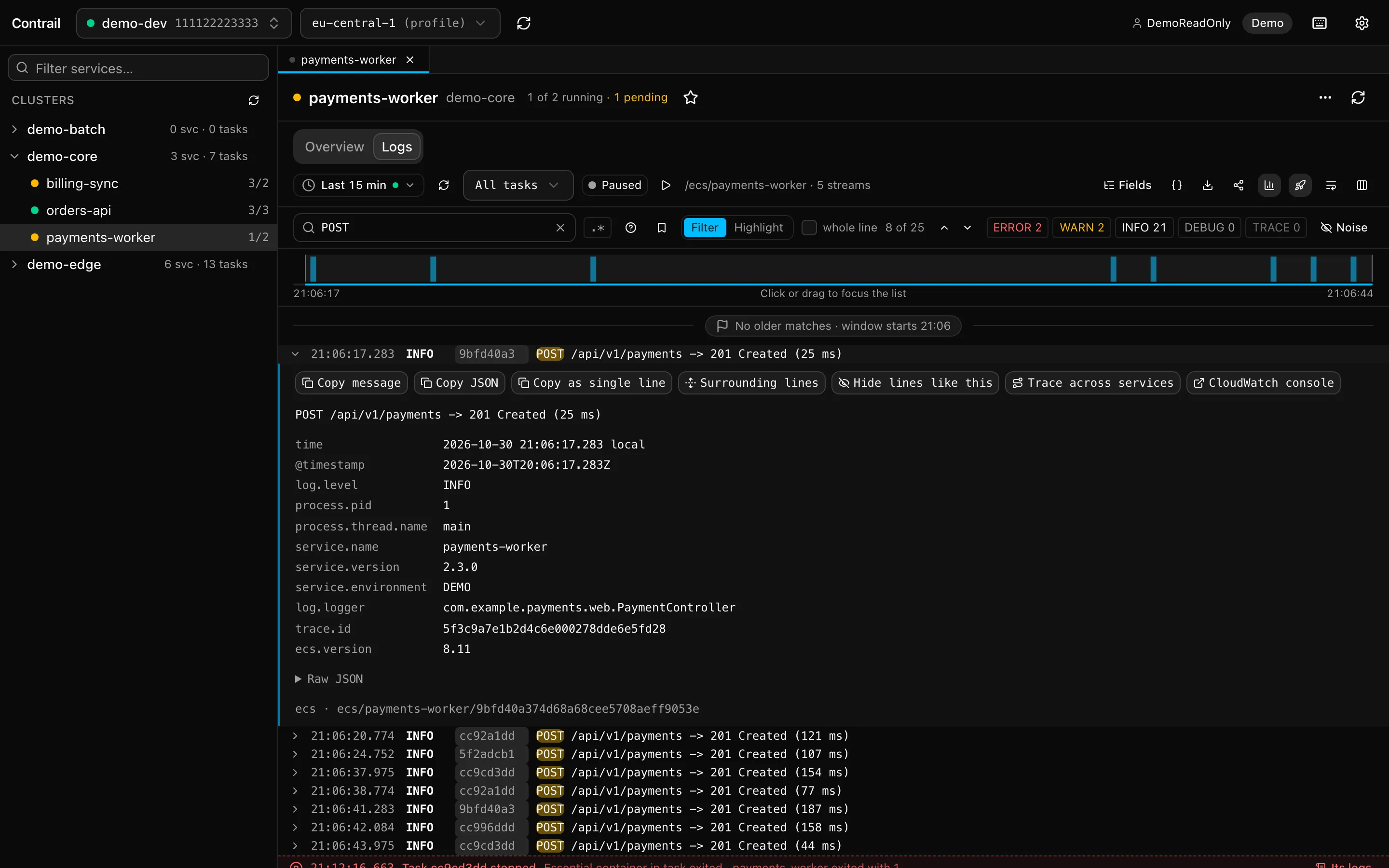
Start from a log line. Open a service’s logs and expand a line that carries an ID (search for it, or click a line you’re curious about). Its actions include Trace across services, which opens a trace tab for that ID.
-
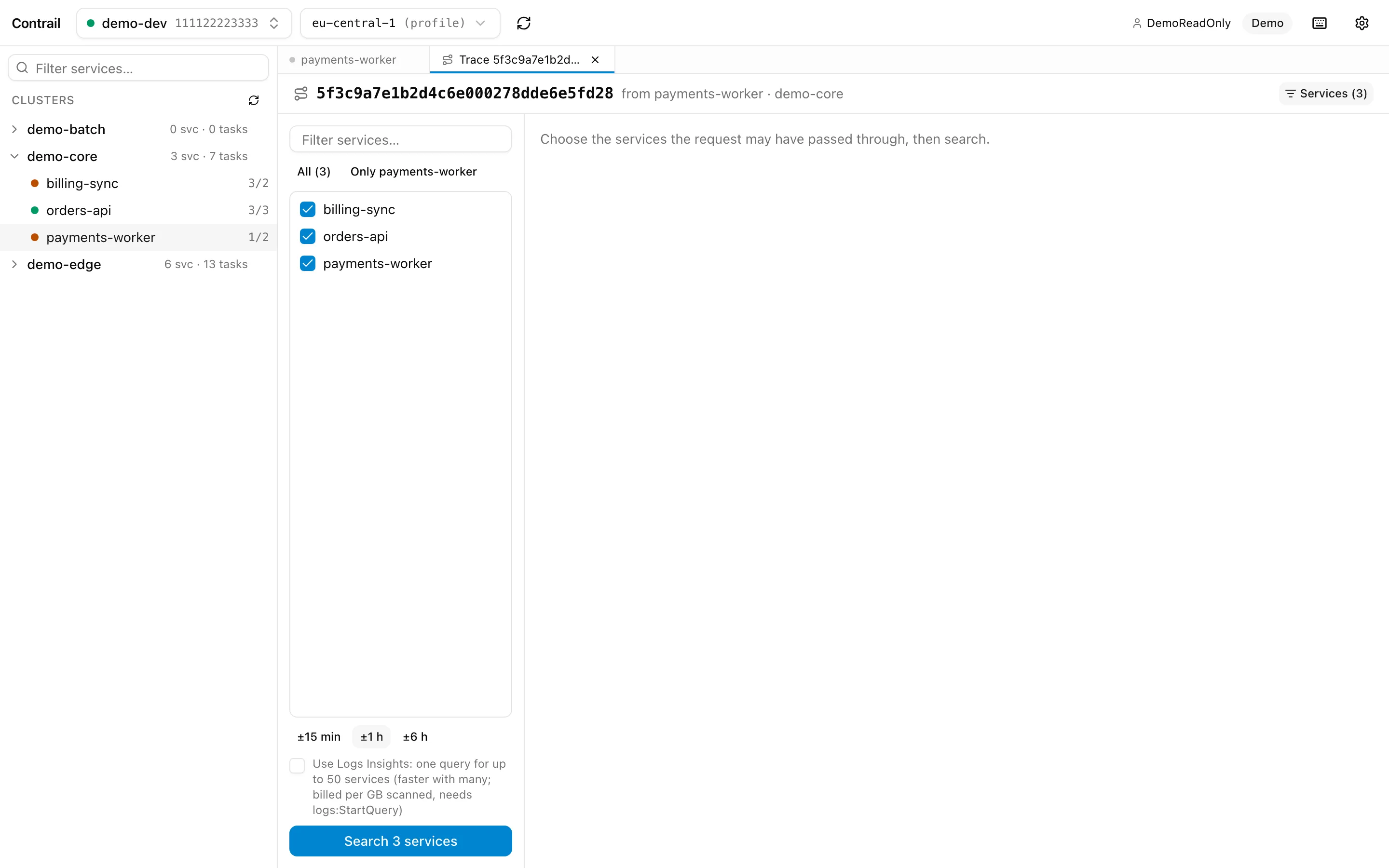
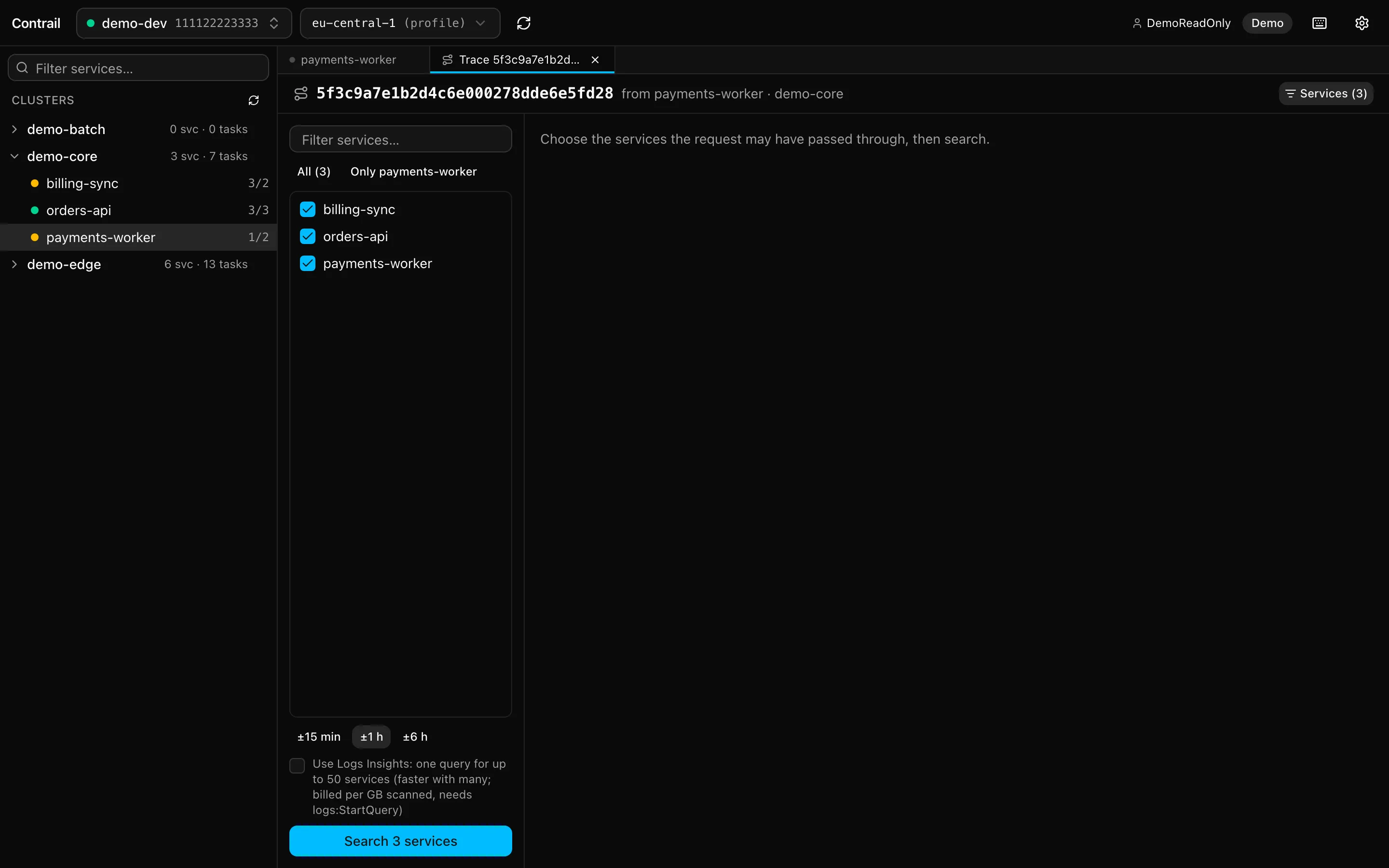
Choose where to look. Tick the services of the cluster the request may have passed through; the one you came from is already ticked (All and Only … are shortcuts). Choose how far around the event’s time to search (±15 min, ±1 h or ±6 h), then press Search.
-
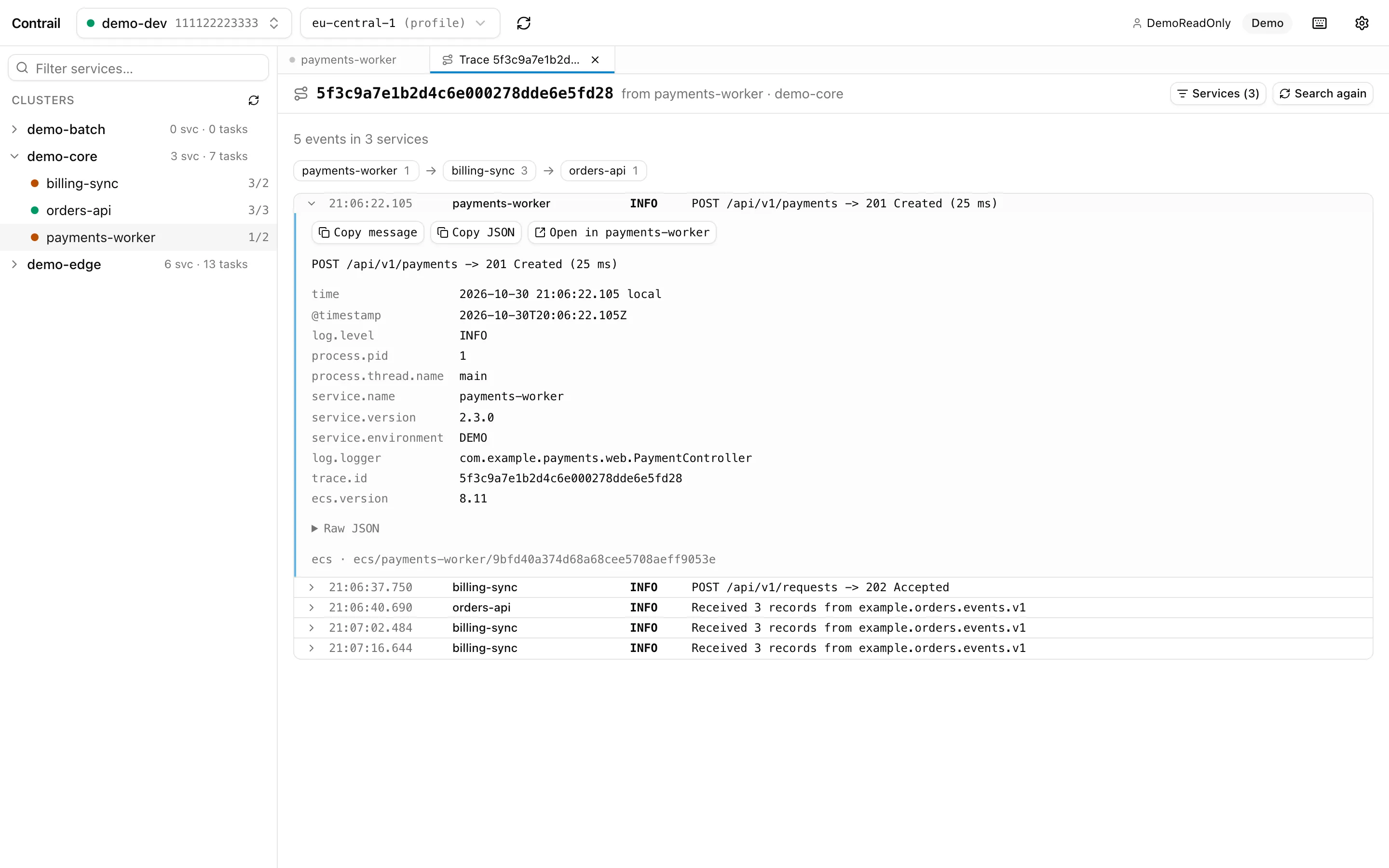
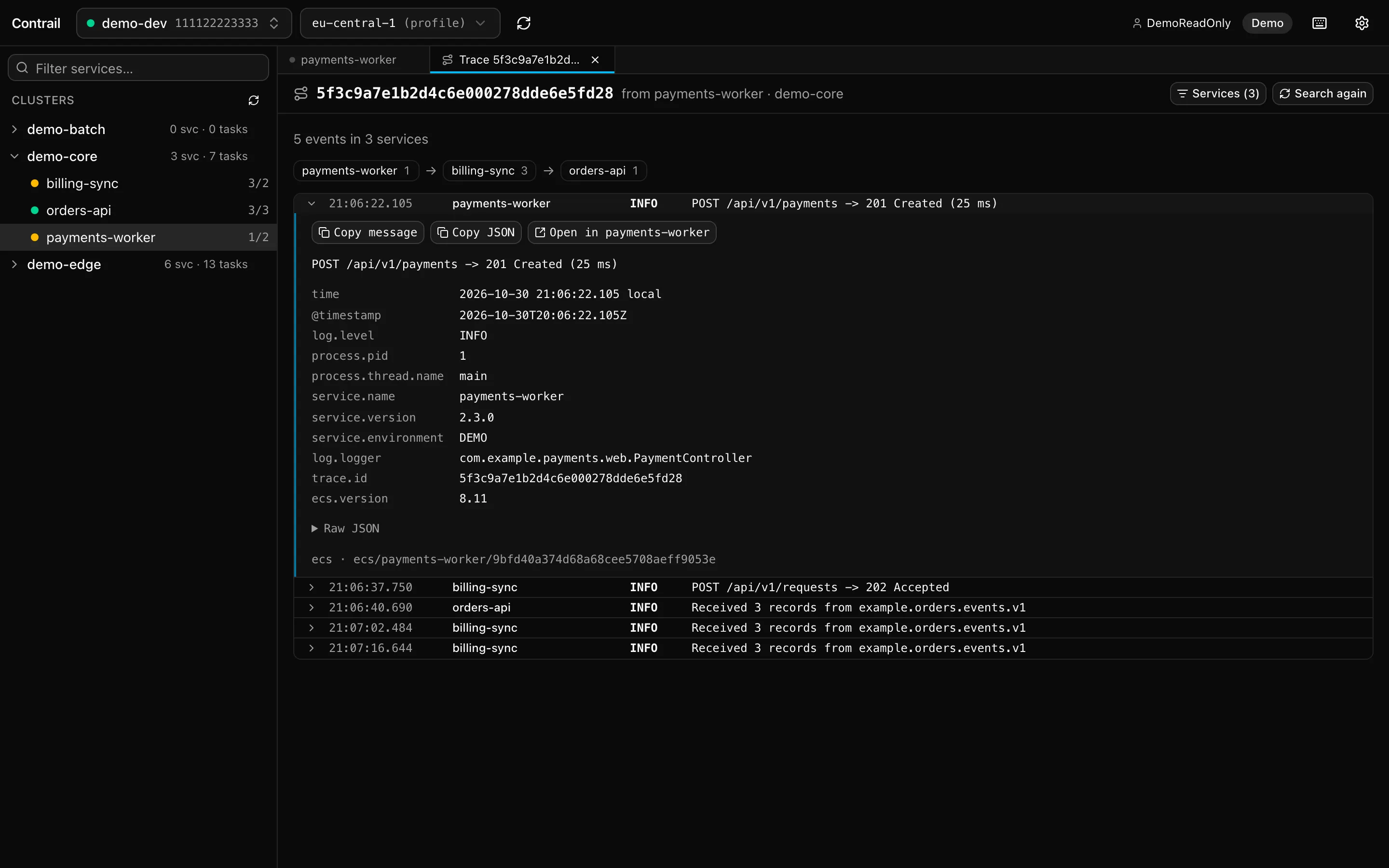
Read the way it took. The top line counts the events and services found. Below it, the services are listed in the order the ID first showed up in them, each with its number of events, and then every event with the ID, oldest first, from all services together.
Working with the result
Section titled “Working with the result”- Expand an event to see it like a log line: its fields, stack trace and raw JSON, with copy buttons.
- Click a service in the path to show only its events; click it again to show all.
- Open in … on an expanded event opens that service’s logs, filtered to the ID. The trace tab stays open with its result, so you can go back.
- The result isn’t live: Search again repeats the search (new events included), and Services brings back the service list to change the choice or the time.
- Tracing the same ID again brings its tab to the front. Trace tabs count towards the 10 open tabs and last until you close Contrail.
How it searches
Section titled “How it searches”Contrail looks up each chosen service’s log group in its task definition and searches it with
CloudWatch’s FilterLogEvents for the ID’s text, across all of the service’s log streams (tasks
that have stopped included) within the chosen time. Up to four services are searched at once,
and at most 2,000 events per service are kept. If a service had more, the result says so, and its
newest events are the ones missing.
A service that can’t be searched (no log group, no permission) shows a warning above the timeline. The other services’ results are still shown.
Tracing only reads logs, like the rest of Contrail. The default search needs nothing beyond the read-only permissions Contrail always uses.